

Updated May 2026. X (formerly Twitter) lets you download your own account’s archive for free, but it ships as a hard-to-read ZIP and only works for accounts you control. This guide shows the current settings path on web and mobile, and what to do when you need data from any account.
Tried our X / Twitter Archive Converter yet?
If you already have your archive ZIP, you can drop it into our free X / Twitter Archive Converter and get clean CSVs of your tweets, followers, DMs, and lists in seconds. No need to wrestle with raw JSON.
How to Download Your X Archive (Desktop / Web)
If you’re logged in to x.com in a browser:
- Click More in the left navigation menu.
- Choose Settings and privacy.
- Open Your account.
- Click Download an archive of your data.
- Confirm your password (and any 2FA challenge).
- Click Request archive.
X will email you when the archive is ready, usually within 24 hours.
How to Download Your X Archive (iOS / Android App)

- Tap your profile icon (top-left corner).
- Tap Settings and privacy.
- Tap Your account.
- Tap Download an archive of your data.
- Confirm your password.
- Tap Request archive.
What’s Inside the X Archive ZIP?
The archive is a ZIP containing an HTML index plus a folder of JSON files. Open the HTML file in a browser to navigate it. The archive includes:
- Your profile information and account history
- Every post (tweet, reply, retweet) you’ve made
- Direct Messages (where the other party hasn’t deleted them)
- Media you’ve uploaded (images, video, GIFs)
- Your followers list and the accounts you follow
- Lists you’ve created or subscribed to
- Moments, Topics you follow, demographics X infers about you, and ad-engagement records
Heads up: the download link X emails you expires after 7 days. If you miss the window you’ll need to request a fresh archive.
Native X Archive vs twtData Export
| Feature | X Native Archive | twtData Export |
|---|---|---|
| Coverage | Only accounts you own | Any public X account |
| Format | ZIP — HTML + JSON | CSV or XLSX |
| Wait time | ~24 hours, sometimes a few days | Minutes |
| Includes | Posts, DMs, followers, lists, ad data | Followers, following, lists, last ~3,200 tweets |
| Cost | Free | Bulk-tier, from $0.00017 / record (volume discounts kick in fast) |
| Link expiry | 7 days | Persistent download via email |
Downloading Data from Any X Account (the part X doesn’t do)
X intentionally only lets you archive accounts you own. If you need a competitor’s follower list, an influencer’s tweet history, or a list’s membership, you need a third-party tool that talks to X’s data layer for you.
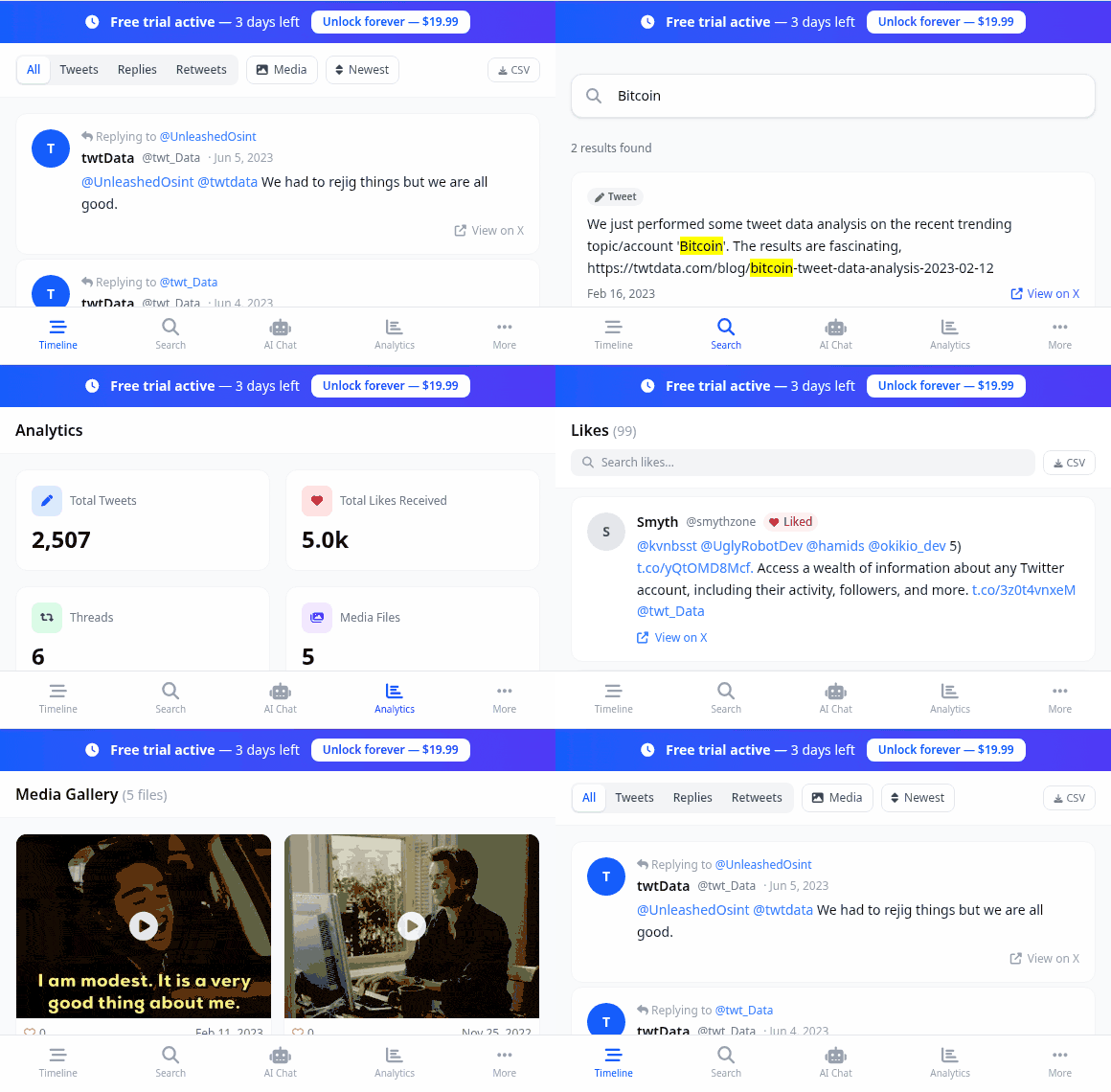
That’s what twtData does. The output is clean CSV or XLSX you can open in Excel, Google Sheets, or any data tool, no parsing required. We also have an in-browser archive viewer if you’d rather read your tweets than analyse them:
- Go to twtdata.com.
- Enter the X handle, your email, and pick CSV or XLSX.
- Click Get Price or Free Sample. We pull the account live and give you a price and ETA.
- Pay with card (or crypto), and your export is generated and emailed to you.
For full background on what the X archive can and can’t give you, read our companion post: Limitations of the X / Twitter Archive.
FAQ
How long does the X archive take?
Usually 24 hours, sometimes faster, occasionally a few days for very active accounts. X notifies you by email and in-app when the ZIP is ready.
Where is “Download an archive of your data” in the new X interface?
Settings and privacy → Your account → Download an archive of your data. The path is the same on web and the iOS/Android app.
Can I download someone else’s tweets or follower list?
Not via X itself — the native archive is owner-only. For other accounts you need a third-party tool such as twtData, which can export followers, following, lists, and the last ~3,200 tweets of any public account.
What is inside the X archive ZIP?
An HTML index file plus per-section JSON files (tweets, DMs, followers, lists, ad data, and more). Open the HTML file in any browser to navigate the archive offline.
My download link doesn’t work — what happened?
X expires archive download links 7 days after the archive is generated. Just request a new archive from the same settings screen.
How many tweets does the X archive include?
Your full posting history. Third-party tools (including twtData) are limited by X’s public timeline cap of about 3,200 tweets per user.