
Export the Full Follower List of Large X Accounts
Export the complete follower or following list of any large X/Twitter account — millions of records, delivered as a single CSV (opens in Excel, Google Sheets, and Numbers). It runs server-side: no browser extension to keep open, no rate-limit timeouts, no partial exports. Just enter a handle below to see the exact price for that account. Also see our standard follower & following export and tweet data export.
Followers/following pricing: from $0.00017 per record. Min price: $5.99.
📊 Download Followers/Following Sample CSV | 📊 Download Tweets Sample CSV
1.7M+
follower records exported
388,000+
records in a single export
No browser limit
runs server-side to completion
Used by data and marketing teams — from venture-backed startups to teams at Google.
Who We Serve

Digital Marketing Agencies
Drive success for your clients with data driven decisions

Brands/Influencers
Use data to analyse and understand your social media image.

Journalists
Source breaking news and distribute your work effectively

Crypto & NFT Projects
Verify influencers, detect bots, analyze sentiment. Data for traders and NFT marketing.

Finance / Investment Traders
Twitter cashtags and sentiment analysis are key market movers. Track crypto influencers and detect bot manipulation.

Researchers
Enhance your academic research with recent and historical data
Why browser extensions break on big accounts
Today's largest and most successful organizations use data to their advantage when making business decisions. To better understand how you can incorporate Twitter/X data into your decision-making process, consider the below:
One-click browser extensions are fine for a few hundred or a few thousand followers. On a large account, they run inside your browser tab — so they hit X/Twitter rate limits, browser memory limits, and session timeouts long before the list finishes. You are left babysitting a tab for hours and often end up with a partial export anyway.
twtData was built for exactly this case. The export runs on our servers and paginates the entire list for you. There is nothing to keep open and nothing to retry — you get the complete list as one CSV.
twtData vs. free follower-export extensions
| For large accounts | twtData | Browser extensions (Circleboom, X Follow Exporter, TwFollowExporter) |
|---|---|---|
| Handles accounts with millions of followers | Yes | Often stalls / partial |
| Runs unattended (no tab to keep open) | Yes | No — runs in your browser |
| Completes without rate-limit timeouts | Yes | Hits limits at scale |
| Full profile payload (15+ fields per follower) | Yes | Varies / limited |
| Guaranteed complete list, delivered as one CSV | Yes | Not on large accounts |
| Human support if anything goes wrong | Yes | Usually none |
For small accounts a free extension may be all you need. twtData is for when the list is too big to pull reliably in a browser.
Transparent pricing, by volume
Pricing is per record and tiered — the bigger the export, the lower the per-record rate, starting from about $0.01 per 1,000 records at the largest tiers, with a $5.99 minimum. You always see the exact price for your specific account before paying. Enter a handle above for an instant quote.
Mid-size account
~100,000 followers
Complete list, full fields, one CSV.
Large account
~1,000,000 followers
Runs server-side to completion — nothing to babysit.
Very large account
Millions of followers
Lowest per-record tier rate. Delivered when ready.
How it works
- 1
Enter the large account's handle above and your email address.
- 2
See the exact record count and price for that account — no surprises.
- 3
We run the full export on our servers. You can close the tab.
- 4
Download the complete list as CSV (or XLSX) when it's ready — we email you the link.
What's in every row
Each follower record includes 15+ fields you can sort, filter, and analyze:
We serve people like you:






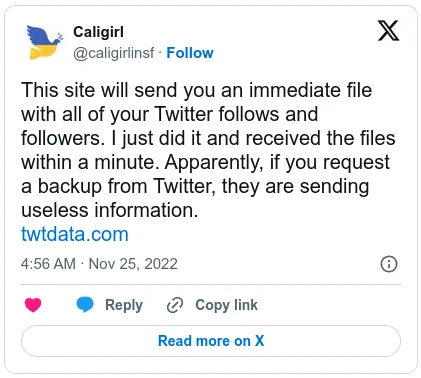



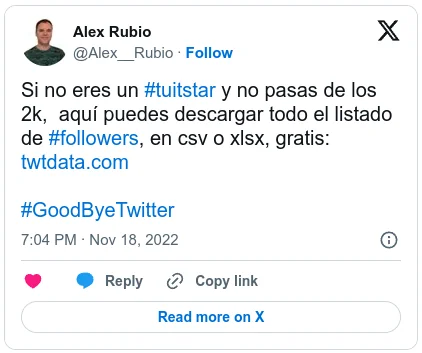


We'd Love To Have You On Our Mailing List!
Subscribe to receive updates about new features, tips, and special offers.
Frequently Asked Questions
Yes. twtData runs the export server-side and paginates the full list for you, so account size is not a problem. We have completed single exports of more than 388,000 follower records in one job, and exported over 1.7 million records across all completed orders. Larger accounts simply take longer to finish — the job runs on our servers and emails you the CSV when it's done.
No. Browser extensions run inside your tab and commonly hit rate limits, session timeouts, or browser memory limits on large accounts, leaving you with a partial list. twtData runs entirely on our own infrastructure. There's no tab to keep open, nothing to babysit, and the job continues to completion. You receive the complete list as a single CSV file.
You receive a CSV (also available as XLSX) that opens directly in Excel, Google Sheets, or Numbers. Each follower row includes account ID, username/handle, display name, bio, location, profile URL, followers count, following count, listed count, statuses (tweet) count, favorites count, account creation date, verified status, protected status, and default language.
Pricing is by record count and is tiered so larger exports get a lower per-record rate, starting from approximately $0.01 per 1,000 records at the largest tiers, with a $5.99 minimum order. You see the exact price for your specific account before you pay — just enter the handle to get a quote.
No. twtData exports the follower and following lists of any public X/Twitter account. You only need the account's handle (username). You don't need the target account's login, and you don't need your own developer API keys.
Yes. twtData exports both the followers list and the following (friends) list of any public account, with the same full set of profile fields in CSV. You can also export the members of an X/Twitter list.